An SSD health percentage is usually a firmware-reported endurance indicator. It can be useful, but it should not be treated as an exact prediction of when the SSD will fail.
| Displayed health | Typical meaning | What to do |
|---|---|---|
| 100% | Little or no consumed endurance is reported. | Keep normal backups; Good status is not a guarantee. |
| 93% | Some endurance has been consumed. | Usually normal for a used SSD; monitor along with other warnings. |
| 80% | More visible wear, but not necessarily immediate danger. | Check workload, warranty and whether other warning attributes exist. |
| 10% | The drive may be near or beyond its designed endurance estimate. | Back up, plan replacement and review available spare or media-error fields. |
Endurance is not the same as sudden failure risk
An SSD can fail because of controller, firmware, power or component problems even when the endurance percentage looks healthy. Conversely, a worn drive may continue operating for some time. Use the percentage as one signal, not the whole diagnosis.
Different names for similar ideas
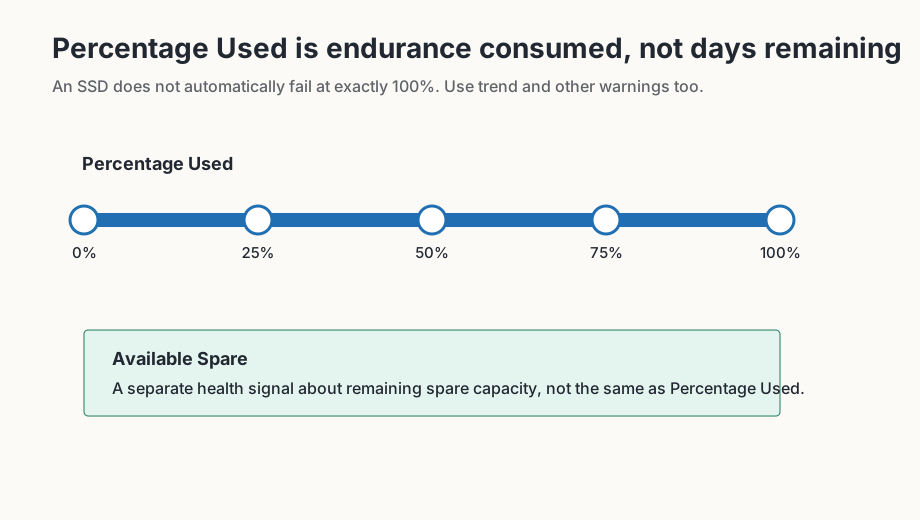
Depending on the SSD, CrystalDiskInfo may show Remaining Life, Percentage Used, Available Spare or vendor-specific attributes. NVMe drives commonly expose Percentage Used and Available Spare in the NVMe health log.
Health percentage is not a calendar
An SSD health value usually describes endurance or spare capacity according to vendor logic. It does not say how many days remain, and it cannot cover every failure mode. Controller faults, firmware issues, power events or sudden component failures can occur even when the percentage still looks healthy.
The reverse is also true: a lower percentage does not automatically mean the SSD will fail tomorrow. It can still justify replacement planning, especially when the drive stores important data, carries a heavy write workload or reports additional warnings such as low Available Spare, media errors or Critical Warning.
What else to check
- Is the value stable, or is it falling quickly?
- What write workload is shown by Total Host Writes or Data Units Written?
- Does the drive also report Available Spare, media errors or rising error-log entries?
- Are there firmware or manufacturer notes for this exact model?
- Is there a current backup before the SSD is stressed further?
Backup and replacement planning
For SSDs, replacement planning is often a question of risk and data value, not only a percentage. A system SSD with a current image backup can be handled differently from a single data drive with no backup. If the health value is falling quickly or additional warnings appear, a planned replacement is usually better than waiting until the drive is no longer reliably readable.
Take fast changes seriously
A slowly declining health value may fit ordinary aging. A fast change over a short period deserves more attention, especially when it appears alongside new errors, temperature problems or unusually heavy write activity. Record old and new values, review workload and protect data before creating more stress.
Also avoid comparing two SSD brands too literally. One vendor can calculate Remaining Life differently from another. The more useful comparison is the trend of the same drive and whether additional warning signals appear at the same time.