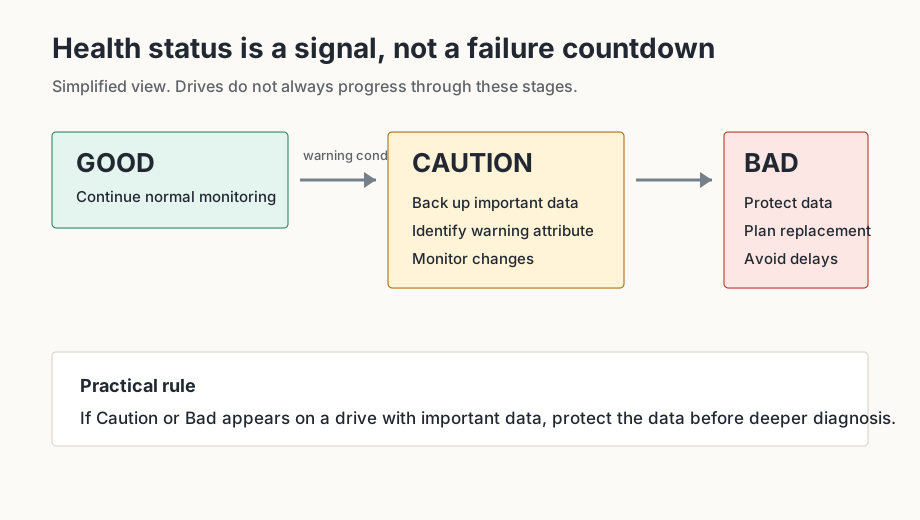
If CrystalDiskInfo displays Caution or Bad and important data exists on that drive, protect the data before spending time diagnosing the warning.
What Caution means
Caution means CrystalDiskInfo has detected a warning condition. It does not mean immediate failure is certain, but it does mean the drive deserves attention. Common causes include HDD sector attributes, SSD spare-area warnings or endurance indicators.
What Bad means
Bad is more severe. It can mean the drive firmware reports a failed health condition or that a critical threshold has been crossed. Treat it as an urgent data-protection signal, not as a prompt for casual experimentation.
What to do first
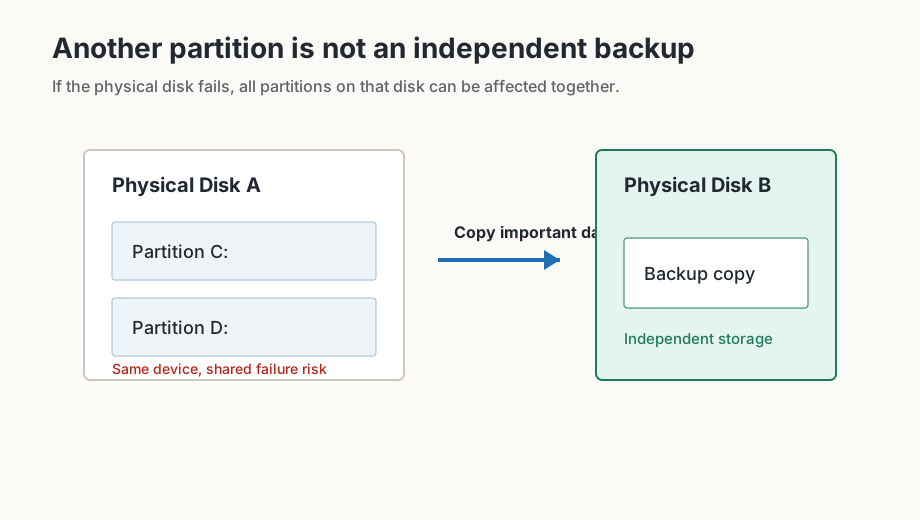
- Back up important data to another physical storage device.
- Save a screenshot with serial numbers hidden.
- Record the relevant S.M.A.R.T. attributes and raw values.
- Identify which attribute triggered the warning.
- Check whether values continue to increase.
- Check warranty, replacement and migration options.
HDD warning attributes
For HDDs, Caution often involves 05 Reallocated Sectors Count, C5 Current Pending Sector Count or C6 Uncorrectable Sector Count. These attributes describe media areas that have been remapped, are unstable or could not be corrected. See the 05, C5 and C6 guide for a deeper explanation.
SSD health warnings
For SSDs, a warning may involve remaining life, available spare capacity, Percentage Used or media integrity errors. SSD health percentages are endurance indicators, not exact calendars.
Check whether values are increasing
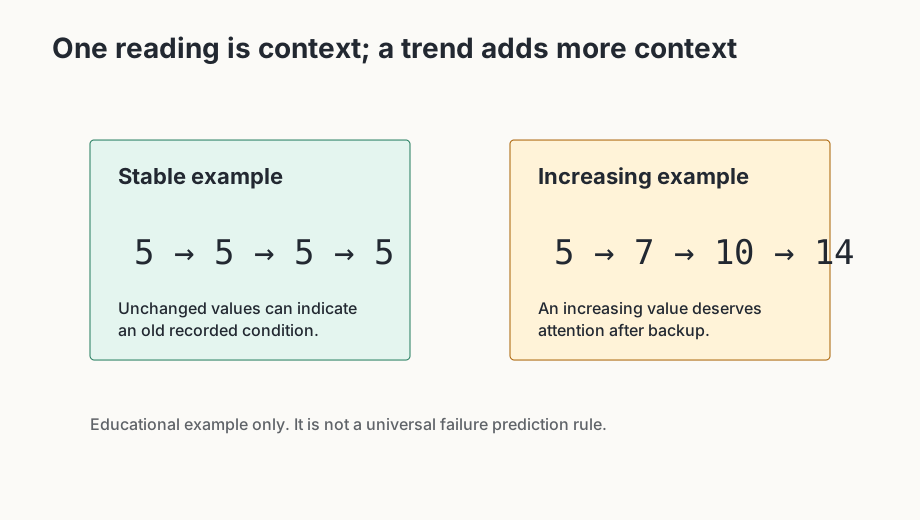
A single historical counter may be less urgent than a counter that keeps rising. Record the value, continue normal monitoring only after backup, and compare later readings. Do not expect cumulative counters to return to zero.
What not to do before backup
- Do not run long stress tests before copying important data.
- Do not assume another partition on the same disk is a backup.
- Do not ignore a Bad status because the computer still boots.
- Do not change thresholds to make a warning disappear and treat that as a repair.
Frequently asked questions
Does Good mean my drive cannot fail?
No. Good means CrystalDiskInfo does not currently show a warning based on the telemetry it reads. Drives can still fail suddenly, so important data still needs a real backup.
Does Caution mean my HDD is about to die?
Not necessarily. Caution means one or more warning conditions deserve attention. Protect important data first, then identify the triggering attribute and monitor whether it changes.
Can I reset Caution to Good?
Changing a displayed threshold or clearing a warning in software does not repair the physical drive. If a counter reflects media problems, treat the underlying condition seriously.
Why does CrystalDiskInfo not show my external drive?
External-drive support depends partly on the USB bridge or enclosure. Some bridges pass through S.M.A.R.T. data cleanly, while others hide it or expose only limited fields.
Treat the warning seriously without inventing certainty
A warning is neither an exact countdown nor a cosmetic inconvenience. The practical difference depends on whether the drive contains important data, whether an independent backup exists and whether the triggering value continues to increase. An old unchanged counter can be different from a value that rises over a short period.
Do not change a health-status threshold just to make the interface show Good again. That can hide a warning, but it does not alter magnetic media, flash wear, spare capacity or connection quality. If the display looks better after a threshold change, the underlying technical cause still needs to be understood.
| Attribute | Earlier | Later | Possible interpretation |
|---|---|---|---|
| C5 | 2 | 2 | unchanged |
| C5 | 2 | 9 | increasing value deserves attention |
| C7 | 132 | 132 | historical counter may simply remain recorded |
| C7 | 132 | 180 | communication errors may still be occurring |